User Guide
Table of contents
Overview
One way to run CMind is to submit your source code and bug report to a web-based submission form to our Website. The system will send you an ID when you submit the bug report and source code. You will need this code to retrive/download the results.
If you want to run it locally, please refer to Guide for command-line on how to run it.
Users are required to submit a .zip file that includes all of the source code, so the system can do the static analysis for more accurate results.
How it works
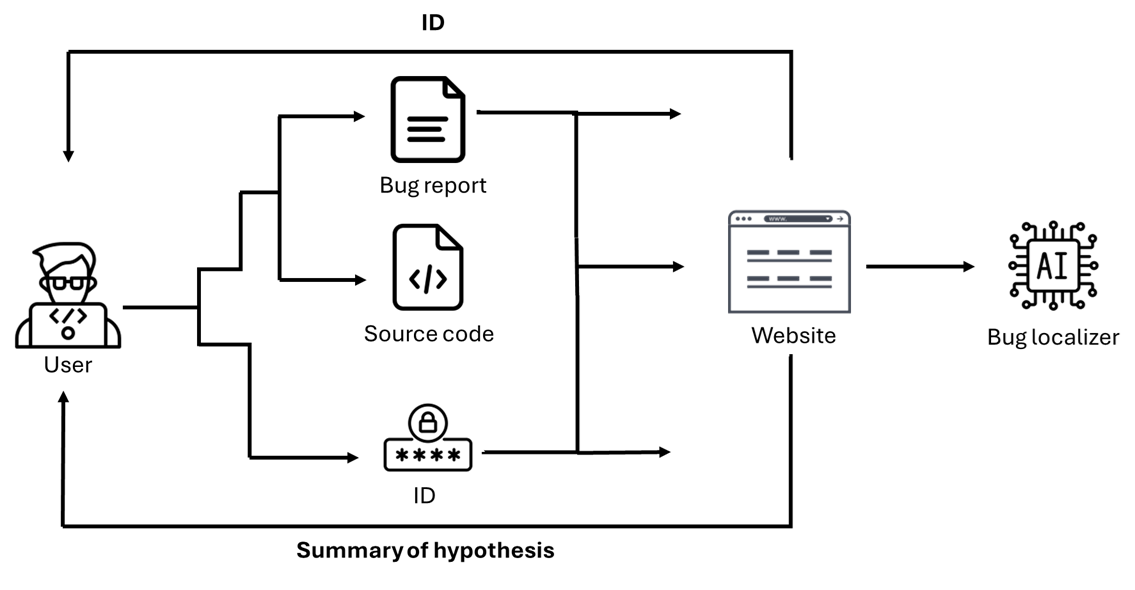
Interface
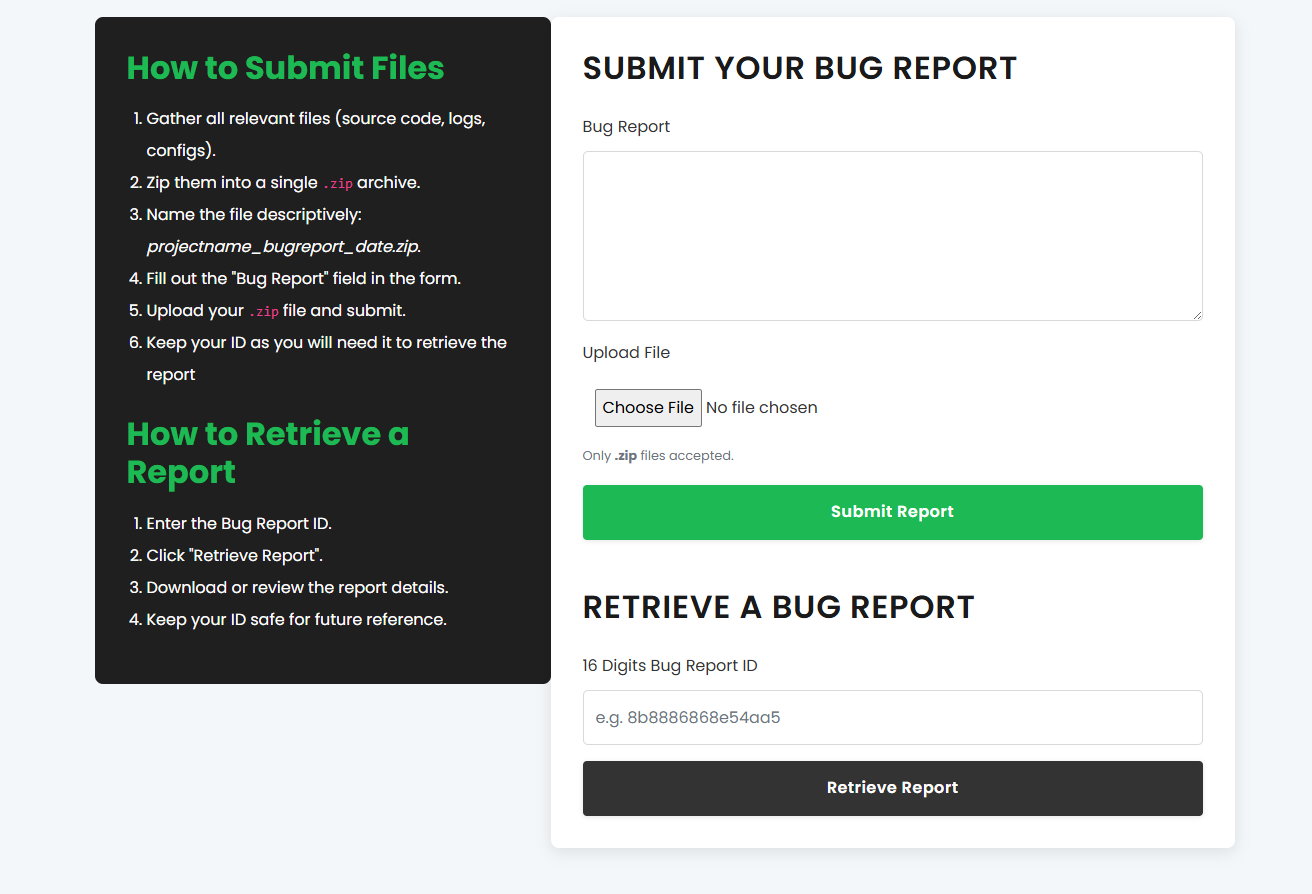
Instructions
How to Submit Files
- Gather all relevant files (source code, logs, configs).
- Compress them into a single .zip archive.
- Fill out the “Bug Report” field in the form.
- Upload your .zip file and submit.
- Keep your ID as you will need it to retrieve the report
How to Retrieve a Report
- Enter the Bug Report ID.
- Click “Retrieve Report”.
- Download or review the report details.
- Keep your ID safe for future reference.